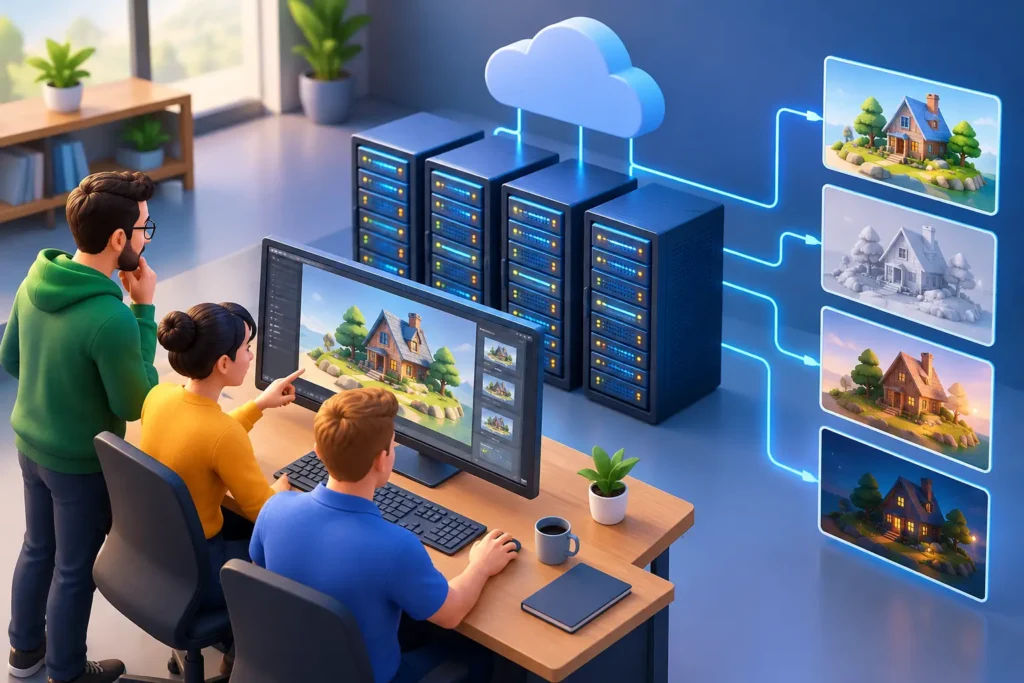
A missed render deadline can hold up an entire campaign, client review, or post-production schedule. When internal workstations are already committed to modeling, animation, simulation, and revisions, cloud-based rendering capacity can protect the delivery date. This render farm selection guide helps production teams evaluate providers based on the factors that affect real project outcomes: compatibility, performance, cost control, security, and support.
A render farm is not simply extra computing power. It becomes part of the production pipeline, handling scene files, textures, plugins, render settings, frame ranges, and final output. The right provider helps teams scale quickly without lowering quality or adding technical friction. The wrong one can introduce failed jobs, surprise charges, missing assets, and long troubleshooting cycles at the worst possible time.
Start With Your Production Requirements
The best render farm for an architectural still is not automatically the best choice for a VFX sequence, a medical animation, or a product launch film. Before comparing providers, define what the project actually needs.
Start with the software and renderer in your pipeline. A farm must support the precise versions of applications such as 3ds Max, Maya, Cinema 4D, Blender, Houdini, or Unreal Engine, as well as the renderer you use, whether that is V-Ray, Corona, Arnold, Redshift, Octane, or another engine. Version differences matter. A provider that supports the application in general may not support a specific plugin, script, render engine build, or custom workflow your scenes require.
Then assess the workload. A single 8K architectural image with heavy global illumination creates a different demand from 2,000 frames of character animation. Consider resolution, frame count, render time per frame, simulation caches, texture sizes, denoising requirements, and expected revision rounds. These details determine whether you need occasional burst capacity or a dependable, repeatable rendering resource for an extended production.
Render Farm Selection Guide: Evaluate Compatibility First
Compatibility should be your first technical checkpoint because it prevents avoidable failures after assets have already been uploaded. Ask providers how they inspect scenes before submission, identify missing dependencies, and verify plugin availability. A clear preflight process is a strong sign of operational maturity.
For complex projects, run a test render using a representative scene rather than a simplified sample. Include typical textures, linked assets, lighting, camera settings, render passes, and any required scripts. Compare the farm output with your local approved frame. Color shifts, missing displacement maps, incorrect motion blur, broken proxies, or pass inconsistencies can create expensive rework later.
Also confirm how the farm handles scene packaging. Automatic asset collection can save time, but it should not replace production oversight. Teams need visibility into what was uploaded, what is missing, and which version was rendered. If a project uses shared storage, custom path mapping, or a studio asset management system, discuss that workflow before committing to a provider.
Measure Speed Beyond the Advertised Hardware
High-performance CPUs and GPUs sound compelling, but hardware specifications alone do not tell you how quickly a project will finish. Actual delivery speed depends on queue availability, upload time, task distribution, renderer efficiency, and the farm’s ability to respond when something fails.
Ask whether capacity is guaranteed or shared across customers. Shared resources may be cost-effective for flexible timelines, but priority access can be essential when a commercial campaign or broadcast delivery has a fixed date. Find out how many machines can be assigned to one job, whether jobs can be paused or reprioritized, and how quickly the provider can add capacity during a deadline surge.
Turnaround should also include operational time. A farm that renders frames quickly but requires hours of manual setup is not necessarily the faster option. Strong providers offer straightforward submission tools, live job monitoring, useful error reporting, and predictable output retrieval. For animation teams, the ability to restart only failed frames instead of rerunning a full sequence can protect both schedule and budget.
Compare Pricing Models Against the Real Job Cost
Render farm pricing is often presented as a per-core-hour, per-GPU-hour, per-frame, or credit-based model. None is universally best. The right model depends on the predictability of your scenes and the level of control your team needs.
Usage-based pricing works well for studios with fluctuating demand because there is no need to maintain idle infrastructure. It can become harder to forecast when scene complexity changes, simulations grow, or revisions multiply. Fixed packages and reserved capacity can offer better budget certainty for recurring production, although they may be inefficient for occasional one-off jobs.
Do not compare rates without estimating total cost. Uploading large caches, storing project files, downloading output, using premium hardware, receiving priority service, or rerendering failed frames may affect the final invoice. Request an estimate based on a realistic production sample and ask what happens when a job fails because of an infrastructure issue versus an error in the source scene.
A good provider is transparent about these distinctions. Clear reporting by project, sequence, shot, and user makes it easier for producers to monitor spend and explain costs to clients.
Put Security and Asset Control in the Contract
Production files can include unreleased products, confidential architectural plans, campaign materials, intellectual property, and regulated medical content. Security cannot be treated as a secondary consideration simply because a farm is fast or inexpensive.
Confirm how files are encrypted during transfer and while stored, where data is hosted, who can access it, and how long it remains on the platform after a job is complete. Ask about role-based permissions, multi-factor authentication, audit logs, nondisclosure procedures, and secure deletion policies. If your client has contractual or regulatory requirements, make sure the provider can meet them before assets leave your environment.
For larger brands and studios, data residency may also matter. A provider with global infrastructure is useful, but teams should know the geographic location of the servers processing their work. The goal is not to create unnecessary approval steps. It is to prevent security questions from appearing after production has already started.
Assess Support Like a Production Partner
When a render completes perfectly, most farms look similar. The meaningful difference appears when a scene crashes at midnight, a plugin is not loading, or a delivery is due the next morning.
Evaluate the provider’s support structure, not just its sales response time. Is technical support available when your production team works? Can specialists interpret renderer logs and help isolate scene-level issues? Is there a named account contact for high-volume work? These questions matter most for animation, VFX, and high-resolution visualization projects where a small technical issue can delay hundreds of frames.
For some organizations, a managed rendering service is more valuable than self-service access. This option can include scene preparation, render optimization, quality checks, and output management. It costs more than sending a job to an automated platform, but it can reduce internal coordination and give producers a single accountable partner.
At 3D Modeling Animation Studio, rendering capacity is approached as part of the wider production workflow, not as an isolated technical task. That perspective is especially useful when modeling, animation, compositing, and final delivery need to stay aligned under a compressed schedule.
Run a Controlled Pilot Before a Major Commitment
A pilot project gives your team proof instead of promises. Choose a scene that reflects the actual pressure points of your pipeline, then measure setup time, render consistency, cost, support responsiveness, and output handling. Keep a record of every issue, even minor ones, because recurring friction compounds across a long production.
Review the pilot with creative, technical, and production stakeholders. Creative leads should approve visual consistency. Technical leads should validate compatibility and reliability. Producers should assess timing, communication, and cost predictability. A provider only becomes the best choice when it works for all three groups.
The strongest render farm decision is the one that gives your team confidence under pressure. Choose a partner that can scale with the work, protect valuable assets, and deliver frames that match the quality your client approved. That leaves your internal team free to focus on the decisions that move the project forward.