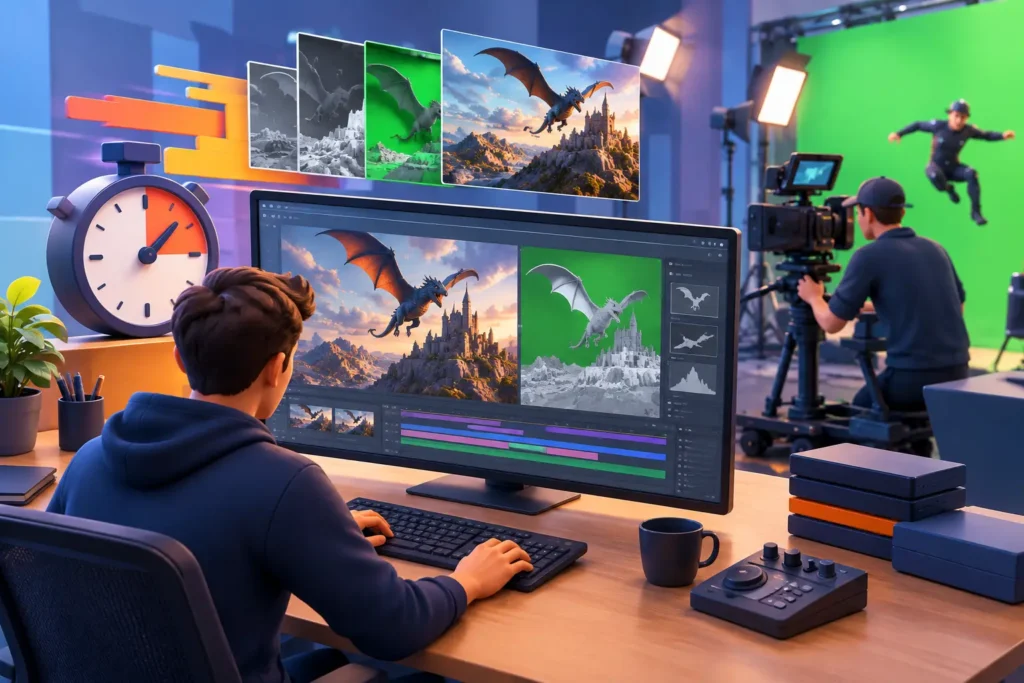

A single polished rendering can be inexpensive, while another image of the same product can require substantially more production time and budget. The difference comes down to what affects rendering cost: the amount of work required to build, light, render, refine, and deliver visuals at the required standard. For business buyers, understanding those variables makes it easier to scope a project accurately and invest where the image will have the greatest commercial impact.
Rendering is not priced by resolution alone. A high-resolution image of a simple product on a clean background may be efficient to produce. A lower-resolution image of that product inside a detailed, photorealistic environment with glass, fabric, water, people, and custom lighting can demand far more technical work. The right budget depends on the final use, visual ambition, and production constraints.
What Affects Rendering Cost Most?
The largest cost drivers are usually scene complexity, asset readiness, visual realism, output requirements, revision scope, and turnaround time. These factors often overlap. For example, a product that needs detailed modeling and several material variations will take longer before rendering even begins. If it also needs campaign-ready imagery from multiple angles, the production workload increases further.
A clear creative brief helps an outsourced 3D team identify these requirements early. It also prevents a common source of budget pressure: treating a project as a simple render request when it actually includes modeling, design development, animation, compositing, and multiple approval rounds.
Scene complexity and the number of assets
Every visible object in a scene has a production cost. Some assets can be sourced from existing libraries or reused across shots. Others must be custom modeled to match a real product, architectural plan, prototype, or brand specification. Custom work becomes more involved when the model requires precise dimensions, mechanical detail, clean topology for animation, or close-up camera views.
An architectural rendering may include the building itself, landscaping, furniture, decorative objects, vehicles, and people. A product visualization may require several product configurations, packaging variants, accessories, and a purpose-built environment. The more unique assets a scene requires, the more time the team needs for modeling, materials, layout, and quality control.
Asset reuse can reduce the cost of a larger campaign. Once an approved product model and material library exist, the same assets can support new camera angles, seasonal settings, marketplace images, social content, and animation sequences with less setup work.
Model quality and source-file readiness
Client-supplied CAD files, technical drawings, photographs, and reference material can make production faster, but their usability matters. A CAD model built for manufacturing is not always ready for visual rendering. It may contain unnecessary internal parts, poor surface data, missing details, or geometry that needs cleanup before it can be shaded and rendered.
Well-organized source files reduce uncertainty. Accurate dimensions, finish references, brand guidelines, floor plans, product photographs, and camera references give artists a reliable foundation. When source information is incomplete, the team may need to make assumptions or create missing elements from scratch. That effort is reflected in the quote and should be discussed before production begins.
Materials, lighting, and photorealism
A clean illustration-style render is different from a photorealistic image designed to stand beside professional photography. Higher realism requires more than adding texture maps. Artists need to build convincing material behavior, control reflections, match surface imperfections, create natural lighting, and balance the image in post-production.
Transparent, glossy, reflective, translucent, or highly detailed materials often require additional attention. Glass bottles, polished metal, jewelry, automotive paint, liquid, skin, fabric, and medical materials can be particularly demanding because small inaccuracies are easy to notice. A matte product on a neutral background is generally faster to render than a luxury watch under studio lighting or a glass facade reflecting a cityscape.
This does not mean every project needs maximum realism. The most cost-effective choice is the level of detail that supports the intended viewing distance, platform, and audience expectation. A hero image for a national campaign deserves different treatment than a small product thumbnail or an internal design approval image.
Output Requirements Change the Render Budget
Final deliverables have a direct impact on rendering cost. A single still image, a set of product angles, a 30-second animation, an interactive configurator, and a virtual walkthrough each demand different production workflows.
Resolution, format, and quantity
Resolution affects render time, especially with complex lighting, depth of field, hair, particles, or high-quality reflections. Large print files and high-resolution video require more computing power and more time for final output. Still, resolution is only one part of the equation. Scene optimization and render settings can often protect quality without creating unnecessary cost.
The number of approved views matters just as much. Additional images may be efficient when they use an existing scene and lighting setup, but each new angle can still need composition, adjustments, render processing, and retouching. It is helpful to define whether the scope includes fixed camera views, alternate colorways, detail shots, or lifestyle compositions.
Animation and motion complexity
Animation adds a time dimension to every decision. Instead of refining one image, the team must ensure models, materials, lighting, effects, and motion hold up across hundreds or thousands of frames. Rigging, simulation, camera movement, character animation, motion graphics, sound design, and compositing can all influence the final production cost.
A simple product turntable is usually more predictable than a cinematic product film with fluid simulation, moving parts, multiple environments, and close-up macro shots. For architectural projects, a short camera flythrough may be straightforward, while a fully populated walkthrough with animated people, vehicles, foliage, and changing daylight is a more complex production.
Hardware, Rendering Method, and Technical Setup
Render engines, hardware capacity, and cloud computing can influence speed and cost, but they do not eliminate the need for skilled production work. Faster hardware may reduce machine render time, yet artists still need to prepare the scene, optimize assets, set up lighting, test output, and complete final post-production.
Real-time rendering can be a practical option for projects that need speed, many camera variations, or interactive content. Offline rendering may be the better choice when the brief calls for highly refined photorealism, complex global illumination, or demanding effects. The best method depends on the visual target, timeline, and expected deliverables rather than a single technology preference.
Technical requirements also matter. Medical animation, for example, may need scientific accuracy, label placement, cross-sectional views, and approval from subject-matter experts. Product visuals may need exact brand colors and packaging details. These requirements add review points, but they protect the accuracy and usability of the final asset.
Revisions and Approval Cycles Need Clear Boundaries
Revisions are a normal part of visual production. The goal is not to eliminate them, but to organize them at the right stages. Early feedback on storyboard, camera angles, gray-shaded models, or material previews is far less expensive than changing major decisions after final rendering has started.
A defined review process protects both schedule and budget. It should clarify who gives consolidated feedback, how many revision rounds are included, and what counts as a revision versus a new creative direction. Changing a label color is different from replacing the environment, redesigning the product, or adding new shots after approval.
For multi-stakeholder projects, one designated decision-maker can prevent conflicting notes and repeated changes. This is especially valuable for marketing campaigns, architecture approvals, and production pipelines where brand, technical, and client teams all have input.
Deadlines and Production Capacity
Urgent delivery can raise rendering cost because it may require dedicated artists, parallel production, overnight rendering, expedited reviews, or additional compute resources. A compressed schedule also leaves less room for iteration, which can increase risk if the brief is still evolving.
That said, speed does not always mean a premium. A capable outsourced studio can scale resources for well-defined projects and use proven workflows to keep production moving. The key is to distinguish between a genuinely tight deadline and a late start caused by unclear inputs. Early planning gives the production team more options to optimize cost without sacrificing quality.
How to Control Rendering Cost Without Weakening the Result
The most effective savings usually happen before the first final render. Start with a concise brief that states the objective, target audience, channels, deliverables, dimensions, reference style, and deadline. Provide approved source assets and identify which details must be exact versus which can be interpreted creatively.
It also helps to prioritize hero shots. Put the highest level of realism and post-production effort into the images or sequences that will carry the campaign, sales presentation, or launch. Secondary views can often use a more efficient setup while remaining visually consistent.
Finally, build projects in stages when appropriate. Approving modeling, materials, lighting, and cameras before final output keeps major decisions visible and manageable. An experienced production partner can recommend where to simplify, where to reuse assets, and where additional detail will deliver a meaningful return.
The best rendering budget is not the lowest possible quote. It is the one that aligns production effort with the value of the final visual, giving your team reliable delivery, clear approval points, and assets built to perform where your audience will see them.